From install to your first review.
Loupe is a local desktop app for reviewing and creating code and documents with Claude Code or Codex. This guide takes you from download to your first review in a few minutes.
What you need
- A supported platform: macOS (Apple Silicon) or Linux (x86_64). Windows is planned.
- A local git repository to review: any branch on your machine works; nothing needs to be pushed anywhere.
- A coding agent: Claude Code and/or Codex, installed separately. The agent is the core of Loupe: it makes changes, answers questions, and applies fixes right beside your work, so have one available before you start.
Install
Grab the build for your platform from the Downloads page.
- macOS: open the
.dmgand drag Loupe into Applications. Builds are signed with an Apple Developer ID and notarized, so they open without a Gatekeeper warning. - Linux: make the
.AppImageexecutable (chmod +x Loupe-*.AppImage) and run it.
Loupe checks for updates automatically. You can switch between the Stable and Nightly update channels in Settings.
First run
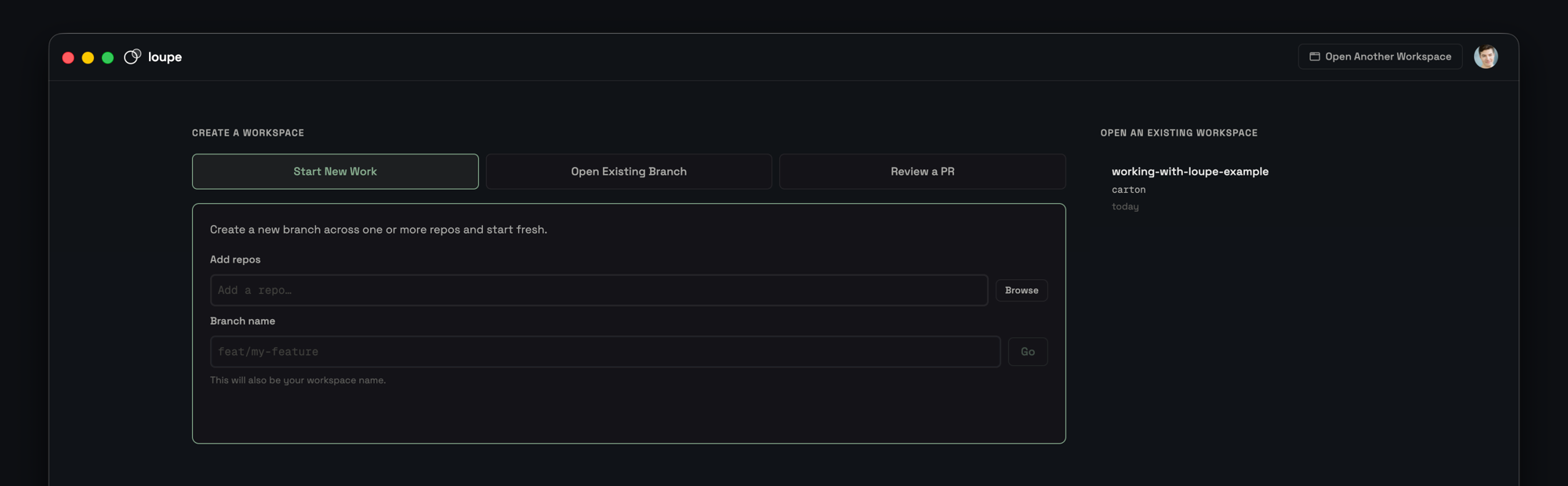
- Create or open a workspace. A workspace groups the repositories you want to work with together.
- Add a repository. Point Loupe at a local repo on your machine.
- Choose what to review. Pick a base branch and the branch you want to look at.
- Open the review view and start diffing.
The core loop
Whether the agent wrote the change or you did, Loupe keeps you in a tight loop that never leaves the diff:
- Browse the diff. Files in a sidebar, syntax-highlighted changes in the main panel.
- Select a line or range and choose an intent:
- Ask: the agent explains why the code is the way it is.
- Plan: the agent drafts a change you can apply or dismiss, without touching your files yet.
- Fix: the agent edits the code directly, and the diff refreshes live.
- Iterate until you're satisfied, resolving comments as you go.
Working with GitHub optional
Loupe works entirely with your local repositories; GitHub is never required. When you do connect it, it adds two things:
- Another way to start a review. Paste a pull-request URL, or browse your open PRs, and Loupe opens the PR as a diff: the same review surface, backed by a PR instead of a local branch.
- Two-way comment sync. Pull a PR's existing review comments into Loupe, or publish your local comments back to the PR. Only the reviewer needs Loupe; teammates still see everything on GitHub.
To use these, install the GitHub CLI (gh) and sign in from the account menu. Loupe shows a device code to enter at github.com/login/device.
Settings worth knowing
- Agent: choose the agent type (Claude Code or Codex), the permission mode (Default, Auto, or Bypass), and an optional model override.
- Update channel: Stable for released versions, Nightly for early builds from the latest code.
- Telemetry: off by default. Choose off, errors only, or all. Logs are always written locally and never leave your machine unless you choose to share a diagnostic bundle.
- Review pane & git: file-tree mode, auto-refresh on file changes, and your preferred branch-update strategy (rebase or merge).
Ready to go? Download Loupe and open your first branch.